
Fill Out Your Af Imt Form
The AF IMT form, officially known as the DAF Form 2096, plays a critical role in the management of personnel within the U.S. Air Force. This form is utilized for a variety of actions related to on-the-job training, personnel changes, and assignment adjustments. At its core, the AF IMT form captures essential details such as an individual's identification, grade, and unit, alongside pertinent changes in Air Force Specialty Codes (AFSC), duty assignments, and proficiency pay statuses. It enables commanders and authorized representatives to authorize and track various personnel actions, documenting everything from entering and completing AFSC to managing awards and special experience identifiers. The form's design ensures it collects all necessary signatures and approvals, reflecting the required checks and balances inherent in military processes. Furthermore, the AF IMT serves a lasting purpose, remaining effective even after an airman's discharge and immediate reenlistment, provided there's no break in service. The comprehensive nature of the AF IMT form underscores its importance in maintaining the operational readiness and career progression of Air Force personnel.
Af Imt Example
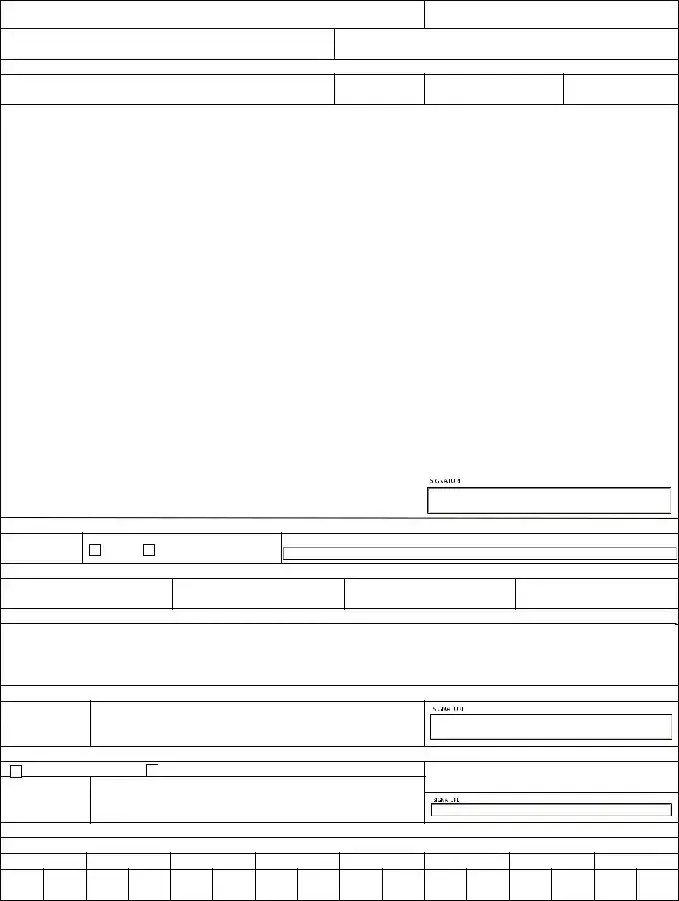
PERSONNEL ACTION NO.
C-
TO: (Organization)
/FSM
FROM: (Organization/Office Symbol)
I. |
INDIVIDUAL IDENTIFICATION |
NAME (Last, First, MI)
GRADE
SSN
UNIT
II. |
|
|
|
|
|
|
|
|
|
|
|
|
|
|
PERSONNEL DATA CHANGES |
|
|
|
|
|
|
|
|
|
|
|
|
|
|
|
|
|
|
|
|
|||||||||||||||||||||||
AFSC INFORMATION |
|
|
|
|
|
|
|
|
|
|
|
|
|
|
|
|
|
|
OJT INFORMATION |
|
|
|
|
|
|
|
|
|
|
|
|
|
|
|
|
|
|
|
|
|||||||||||||||||||
AWARD AFSC |
|
|
|
|
|
|
|
|
|
|
AS |
|
|
|
AFSC |
|
|
EFFECTIVE |
|
|
|
|
|
|
|
|
|
|
|
|
|
|
|
|
|
|
|
|
|
|||||||||||||||||||
EFFECTIVE |
|
|
|
|
|
|
|
|
|
|
|
|
|
|
|
|
|
|
|
ENTER/CONTINUE AFSC |
|
|
|
|
|
|
|
|
TS CODE |
|
|
|
|
|||||||||||||||||||||||||
|
|
|
|
|
|
|
|
|
|
|
|
|
|
|
|
|
|
|
|
|
|
|
|
|
|
|
|
|
|
|
|
|
|
|
|
|
|
|
|
|
|
|
|
|
|
|||||||||||||
REDESIGNATE |
|
|
|
|
|
|
|
|
|
|
AS |
|
|
|
AFSC |
|
|
WITHDRAW AFSC |
|
|
|
|
|
|
|
|
TS CODE |
|
|
|
|
|
||||||||||||||||||||||||||
PAFSC FROM |
|
|
|
|
|
|
|
|
|
TO |
|
|
|
|
|
|
COMPLETED AFSC |
|
|
|
|
|
|
|
|
TS CODE |
|
|
|
|
||||||||||||||||||||||||||||
|
|
|
|
|
|
|
|
|
|
|
|
|
|
|
|
|
|
|
|
|
|
|
|
|
|
|
|
|
|
|
|
|
|
|
|
|
|
|
|
|
|
|
|
|
|
|||||||||||||
CAFSC FROM |
|
|
|
|
|
|
|
|
|
TO |
|
|
|
|
|
|
DATE INITIALLY ENTERED RETNG |
|
|
|
|
|
|
|
|
|
|
|
|
|
|
|
|
|
|
|
|
|||||||||||||||||||||
|
|
|
|
|
|
|
|
|
|
|
|
|
|
|
|
|
|
|
|
|
|
|
|
|
|
DIRECTED DUTY AFSC |
|
|
|
|
|
|
|
|
|
|
|
|
|
|
|
|
|
|
|
|
||||||||||||
EFFECTIVE |
|
|
|
|
|
|
|
|
|
|
|
|
|
|
|
|
|
|
|
|
|
|
|
|
|
|
|
|
|
|
|
|
|
DDA EXPIRATION |
||||||||||||||||||||||||
|
|
|
|
|
|
|
|
|
|
|
|
|
|
|
|
|
|
|
|
|
|
|
|
|
|
|
|
|
|
|
|
|
|
|
|
|
|
|
|
|
|
|
|
|
|
|
|
|||||||||||
|
|
|
|
|
|
|
|
|
|
|
|
|
|
|
|
|
|
|
|
|
|
|
|
|
|
|
|
|
|
|
|
|
|
|
|
|
|
|
|
|
|
|
|
|
|
|
|
|
|
|
|
|
|
|
||||
2 AFSC FROM |
|
|
|
|
|
|
|
|
|
|
TO |
|
|
|
|
|
|
|
|
DATE |
|
|
|
|
|
|
|
|
|
|
REASON |
|
|
|
|
|
||||||||||||||||||||||
3 AFSC FROM |
|
|
|
|
|
|
|
|
|
|
TO |
|
|
|
|
|
|
|
|
|
|
|
|
|
|
|
|
|
|
|
|
|
|
|
|
|
|
|
||||||||||||||||||||
4 AFSC FROM |
|
|
|
|
|
|
|
|
|
|
TO |
|
|
|
|
|
|
ASSIGN PROFICIENCY PAY |
|
|
|
|
|
|
|
|
|
|
|
|
|
|
|
|
|
|
|
|
||||||||||||||||||||
|
|
|
|
|
|
|
|
|
TO |
|
|
|
|
|
|
|
SS RATING |
|
AMOUNT |
|
|
AFSC |
|
|
||||||||||||||||||||||||||||||||||
WITHDRAW AFSC |
|
|
|
|
|
|
|
|
|
|
|
|
|
|
|
|
|
|
|
EFFECTIVE |
|
PRO PAY STATUS REASON |
|
|
|
|
||||||||||||||||||||||||||||||||
SPECIAL EXPERIENCE IDENTIFIER |
|
(S) (Airman Only) |
|
|
|
|
|
|
WITHDRAW PRO PAY |
|
|
|
|
|
|
|
EFFECTIVE |
|
|
|
|
|
||||||||||||||||||||||||||||||||||||
DESIGNATE CAFSC SEI |
|
|
|
|
|
|
|
|
|
|
|
|
|
|
MISCELLANEOUS INFORMATION |
|
|
|
|
|
|
|
|
|
|
|
|
|
|
|
|
|
|
|
|
|||||||||||||||||||||||
DESIGNATE GENERAL SEI |
|
|
|
|
|
|
|
|
|
|
|
|
|
|
|
ADSCD |
|
|
|
|
REASON |
|
|
|
|
|
||||||||||||||||||||||||||||||||
DESIGNATE SEI |
|
|
|
|
|
|
|
|
|
|
WITH ( |
) AFSC |
|
|
|
|
|
PROMOTION ELIG STATUS |
|
|
|
|
|
|
|
|
|
|
|
|
|
|
|
|
|
|
|
|
|
|||||||||||||||||||
WITHDRAW SEI |
|
|
|
|
|
|
|
|
|
|
FROM ( |
) AFSC |
|
|
|
|
|
PROMOTED TO |
|
|
|
|
|
|
|
|
EFFECTIVE |
|
|
|
|
|
||||||||||||||||||||||||||
DUTY INFORMATION |
|
|
|
|
|
|
|
|
|
|
|
|
|
|
|
|
|
|
|
|
|
|
WITH DATE OF RANK |
|
|
|
|
|||||||||||||||||||||||||||||||
|
|
|
|
|
|
|
|
|
|
|
|
|
|
|
|
|
|
|
|
|
|
|
|
|
|
|
|
|
|
|
|
|
||||||||||||||||||||||||||
DAFSC |
|
|
|
|
|
|
EFFECTIVE DATE |
|
|
|
|
|
|
ASSIGNMENT AVAIL CODE/DOA |
|
|
|
|
|
|
|
|
|
|
|
|
|
|
|
|
|
|
|
|
||||||||||||||||||||||||
OFFICE SYMBOL |
|
|
|
|
|
|
DUTY PH |
|
|
|
|
|
|
|
DESIGNATE WAFSC |
|
|
|
|
|
|
|
|
EFFECTIVE |
|
|
|
|
|
|||||||||||||||||||||||||||||
POSITION NO. |
|
|
|
|
|
|
|
OSC |
|
|
|
|
|
|
|
WITHDRAW WAFSC |
|
|
|
|
|
|
|
|
EFFECTIVE |
|
|
|
|
|
||||||||||||||||||||||||||||
COMD LVL |
|
|
|
|
|
|
|
DUTY TITLE |
|
|
|
|
|
|
|
OTHER |
|
|
|
|
|
|
|
|
|
|
|
|
|
|
|
|
|
|
|
|
|
|||||||||||||||||||||
|
|
|
|
|
|
|
|
|
|
|
|
|
|
|
|
|
|
|
|
|
|
|
|
|
|
|
|
|
|
|
|
|
|
|
|
|
|
|
|
|
|
|
|
|
||||||||||||||
AUTHORITY |
|
|
|
|
|
|
|
|
|
|
|
|
|
|
|
|
|
|
|
|
|
|
|
|
|
|
|
|
|
|
|
|
|
|
|
|
|
|
|
|
|
|
|
|
|
|
|
|
|
|
|
|
||||||
DATE |
|
|
NAME, GRADE, TITLE, DUTY PHONE, SUPERVISOR/REQUESTING OFFICIAL |
|
|
|
|
|
|
|
|
|
|
|
|
|
|
|
|
|
|
|
|
|
||||||||||||||||||||||||||||||||||
|
|
|
|
|
|
|
|
|
|
|
|
|
|
|
|
|
|
|
|
|
|
|
|
|
|
|
|
|
|
|
|
|
|
|
|
|
|
|
|
|
|
|
|
|
|
|
|
|
|
|
|
|
||||||
|
|
|
|
|
|
|
|
|
|
|
|
|
|
|
|
|
|
|
|
|
|
|
|
|
|
|
|
|
|
|
|
|
|
|
|
|
|
|
|
|
|
|
|
|
|
|
|
|
|
|
|
|
|
|
|
|
|
|
III.
DATE
CONCURRENCE OF MEMBER
SIGNATURE OF MEMBER
DO |
DO NOT CONCUR |
IV. |
RNLTD/ EFFECTIVE DATE
ASSIGNMENT ACTION NUMBER
ASSIGNMENT FROM
ASSIGNMENT TO
V. |
REMARKS |
|
VI. |
APPROVAL BY COMMANDER OR AUTHORIZED REPRESENTATIVE |
DATE |
TYPED NAME, GRADE, AND TITLE
FOR THE
COMMANDER
VII. |
ACTION BY PERSONNEL OFFICIAL |
DATE |
APPROVED |
DISAPPROVED |
HEADQUARTERS |
FOR THE |
TYPED NAME, GRADE, AND TITLE |
|
|
|
|
COMMANDER |
|
|
This authorization remains in effect after Airman's discharge and immediate reenlistment at the same station provided that he/she has no break in military service.
VIII. |
CSS/FSM COORDINATION RECORD |
FSM
1. FSM
2. FSM
3. FSM
4. FSM
5. FSM
6. CSS
CSS
DAF FORM 2096, 20230331
Prescribed by: DAFMAN
PREVIOUS VERSIONS OF THIS FORM MAY BE USED
PRIVACY ACT INFORMATION: The information in this form is Controlled Unclassified Information. Protect IAW the Privacy Act of 1974.
Form Characteristics
| Fact Title | Description |
|---|---|
| Purpose | The AF Imt form is used to document on-the-job training actions and personnel actions within military organizations. |
| Governing Regulation | The form follows guidelines set forth by DAFMAN 36-2689. |
| Privacy Protections | It contains Controlled Unclassified Information and is protected under the Privacy Act of 1974. |
| Individual Identification | The form requires the individual's name, grade, Social Security Number (SSN), and unit, ensuring proper identification. |
| Personnel Data Changes | Various segments track changes to personnel data, including awards, training codes, and effective dates. |
| Training Information | Sections are specifically designated for entering On-The-Job Training (OJT) details and Air Force Specialty Codes (AFSC). |
| Approval Process | Approval by a commander or authorized representative is mandatory before the form can be processed. |
| Intra-Base Assignments | The form facilitates intra-base assignment actions, including the effective date and assignment numbers. |
| Member Concurrence | Members must indicate whether they concur with the actions taken, ensuring transparency in the process. |
| Post-Discharge Validity | This authorization remains effective after an Airman’s discharge and immediate reenlistment at the same station without breaks in service. |
Guidelines on Utilizing Af Imt
Filling out the AF IMT form is an essential process that ensures accurate record updates for personnel actions within the organization. This guide provides you with clear steps to successfully complete the form, ensuring that all relevant details are captured correctly.
- Identify the Organization: At the top, fill in the name of the organization or office you are addressing the form to in the "TO" field and from which you are submitting in the "FROM" field.
- Complete Individual Identification: Enter the individual’s name (last, first, middle initial), grade, SSN, and unit in the respective fields under Section I.
- Insert Personnel Data Changes: In Section II, update the necessary information regarding AFSC, OJT, and any awards. Pay attention to details such as effective dates and specific codes.
- Provide Duty Information: Fill in the duty information section, including DAFSC and office symbol, ensuring all relevant information about the position and command levels are included.
- Member's Concurrence: In Section III, the member must indicate if they concur with the action by signing in the designated field and noting the date.
- Intra-Base Assignment Actions: Complete any intra-base assignment actions in Section IV, noting the effective date and assignment numbers.
- Add Remarks: Use Section V to include any additional remarks or notes that may clarify or provide context to the requested changes.
- Approval Section: Section VI must be signed and dated by the commander or authorized representative. Include their typed name, grade, and title.
- Personnel Official Processing: In Section VII, note the approval or disapproval of the action by personnel officials and include their name, grade, and title.
- CSS/FSM Coordination: Finally, fill out Section VIII for coordination records, indicating the relevant personnel involved up to FSM 6 and CSS.
What You Should Know About This Form
What is the purpose of the Af Imt form?
The Af Imt form is primarily used to record and manage personnel actions within the military. This includes details about on-the-job training, changes in Air Force Specialty Code (AFSC), awards, and various personnel data updates. It is essential for tracking the career progression and training of airmen, ensuring that all changes and actions related to personnel are documented appropriately.
Who needs to fill out the Af Imt form?
This form is typically filled out by personnel officials, supervisors, or requesting officials who are knowledgeable about the individual's training and service record. Additionally, the airman whose details are being updated must also review and provide concurrence on the information, indicating their agreement with the changes being made.
What information is required on the Af Imt form?
The form requires various pieces of personal identification data, including the individual's name, grade, and Social Security Number (SSN). It also includes sections for updating information related to AFSC, on-the-job training, proficiency pay, and any other necessary personnel changes. Sections for command approvals and remarks ensure that the actions taken are properly sanctioned and documented.
What happens after the submission of the Af Imt form?
Once submitted, the Af Imt form undergoes a review process. It must be approved by the appropriate commander or authorized representative. After approval, personnel officials will document the action either as approved or disapproved. The information recorded on this form remains in effect, ensuring that all updates reflect accurately in the service member's record even after discharge and reenlistment, provided there is no break in service.
Are there any privacy considerations associated with the Af Imt form?
Yes, the Af Imt form contains sensitive personal information and is classified as Controlled Unclassified Information. It falls under the guidelines established by the Privacy Act of 1974, which mandates that all information must be protected. Individuals handling this form should ensure that the data is kept confidential and used only for the purposes intended in line with military regulations.
Common mistakes
Completing the AF IMT form can be a straightforward process, but common mistakes can lead to delays or issues with personnel actions. Understanding these potential errors can help ensure a smoother experience. Here are six mistakes often made when filling out the form.
First, many individuals overlook the importance of accurate identification. When entering the name, grade, and SSN, it’s critical to double-check for spelling mistakes or incorrect numbers. Minor errors in this section can cause significant complications down the line, often delaying processing or requiring a complete resubmission of the form.
Secondly, failing to provide complete personnel data changes is another frequent error. Sections related to AFSC (Air Force Specialty Code) information and changes must be fully filled out. Incomplete data can create confusion, possibly resulting in incorrect assumption of duties or responsibilities. Ensure that any changes in AFSC codes are clearly indicated, including effective dates.
Third, some users do not include pertinent remarks or additional information in the designated remarks section. This space is valuable for clarifying specific requests or any contextual details that may not be obvious from the rest of the form. A lack of detail can lead to assumptions that may not align with the individual’s intentions.
Another common oversight involves signatures. The section regarding concurrence of the member must be signed properly. People sometimes either forget to sign or fail to indicate their concurrence or non-concurrence. This step is not just a formality; it indicates acknowledgment of the actions listed on the form and offers an opportunity to express any disagreements.
Fifth, individuals sometimes forget to involve their supervisor or the authorized representative for necessary approvals. The approval section must be completed correctly to validate the request. Without clear signatures from the appropriate authority, the requests can be deemed incomplete and might require further attention.
Lastly, missing coordination records can lead to miscommunication and oversights. Each section relevant to different personnel requires the appropriate signatures or acknowledgments to ensure all parties are informed and in agreement. Neglecting to fill out CSS/FSM coordination records can complicate the processing of requests, leading to delays or misunderstandings.
By avoiding these common mistakes, individuals can help facilitate a smoother and more efficient experience with the AF IMT form. Attention to detail is essential in ensuring that all information is accurate and complete, ultimately benefiting everyone involved.
Documents used along the form
When dealing with the AF IMT form, several other forms and documents often come into play to ensure a smooth personnel action process. Here is a list of complementary documents that frequently accompany the AF IMT form, providing necessary context or supporting information for the actions being taken.
- DAF Form 2096: This form is specifically used for updates to an Airman’s duty status, to include changes in assignments, duty titles, and other significant information. It serves as a formal record of personnel changes and helps track an Airman’s career progression.
- AF Form 899: Commonly known as the Request for Officer or Enlisted Affiliation, this document is used when individuals want to affiliate with the United States Air Force. It lays the groundwork for assessing prior service experience and clarifying eligibility to serve.
- AF Form 100: This is a Request for Duty Status. Through this form, service members can officially request changes in their duty status, which might involve changes to their rate of pay or assignments. It ensures all personnel actions are documented correctly.
- AF Form 626: This form is utilized for authorizing additional duty or training. It helps track service members’ participation in extra assignments and is especially important for skills development and career progression within the military framework.
- AF Form 2100: This document serves as a Record of Individual Selection and Classification. It contains crucial information regarding an Airman’s qualifications and assignments and supports the decision-making process related to promotion or reclassification within the service.
Utilizing these forms in conjunction with the AF IMT form can enhance the overall efficiency and accuracy of personnel actions within the military. Each document plays a vital role in maintaining clear and organized records, ultimately aiding service members in their career paths.
Similar forms
- AF Form 2096: Similar to the AF IMT form, the AF Form 2096 is used for personnel actions but focuses on retraining and skill management. It also records changes in a member's duty and assignment data.
- DAF Form 1348: Often utilized for transfer requests, the DAF Form 1348 allows personnel to document their current assignments and future intentions similarly to the AF IMT form.
- AF Form 1168: This form is used for documenting interviews and statements. Like the AF IMT form, it captures critical personnel information and specific actions taken in regard to an individual's career.
- AF IMT Form 841: This document relates to training requests within the Air Force. It similarly tracks an individual's training status and requirements.
- AF Form 899: The AF Form 899 is an officer assignment notification form. It is similar in nature to the AF IMT form because it communicates personnel movements and changes.
- DAF Form 532: Used for documenting changes in job assignments, this form serves a role akin to the AF IMT form by detailing significant personnel transitions.
- AF Form 707: This performance report form captures evaluation data for airmen. It parallels the AF IMT form in its objective to track personnel qualifications and readiness.
- AF IMT Form 22: The AF IMT Form 22 serves to document recommendations for awards and decorations. Like the AF IMT form, it ensures the recognition of personnel achievements.
Dos and Don'ts
When filling out the AF IMT form, attention to detail is crucial. Here is a list of ten essential do's and don'ts to consider:
- Do read the instructions carefully before starting.
- Do provide accurate personal identification information.
- Do check for any required signatures before submitting.
- Do ensure all dates are correctly filled in.
- Do keep a copy of the completed form for your records.
- Don't leave any sections blank unless instructed.
- Don't use abbreviations that are not officially recognized.
- Don't submit the form without a thorough review.
- Don't forget to update changes in personnel data as they occur.
- Don't ignore the privacy guidelines outlined for the form.
Misconceptions
Many people misunderstand the AF IMT form, leading to confusion about its purpose and requirements. Here are ten common misconceptions about this form, along with clarifications.
- Misconception 1: The AF IMT form is used solely for promotions.
- Misconception 2: Only supervisors can fill out the AF IMT form.
- Misconception 3: Changes to AFSC information can be made without approvals.
- Misconception 4: The AF IMT form is not required for direct duty assignments.
- Misconception 5: Once signed, the AF IMT form cannot be altered.
- Misconception 6: The form only applies to enlisted personnel.
- Misconception 7: The information on the form is not sensitive.
- Misconception 8: Submission of the form guarantees immediate action on the request.
- Misconception 9: A member can withdraw their consent at any time once the form is submitted.
- Misconception 10: The AF IMT form is irrelevant after discharge.
While the form does include sections related to promotion eligibility, it also serves various functions, such as documenting on-the-job training and personnel actions.
Any authorized individual, including the service member, can complete the necessary sections of the form, though supervision is often involved.
All changes must be approved by the appropriate commander or authorized representative, ensuring that any adjustments align with personnel management protocols.
This form is crucial for documenting all forms of assignment actions, including direct duty assignments.
While alterations should be avoided after approval, if changes are necessary, a new form must be submitted or appropriate amendments made following proper procedures.
The AF IMT form is applicable to all Air Force personnel, including officers, depending on the context of the action being documented.
The AF IMT form includes Controlled Unclassified Information, which must be protected under the Privacy Act of 1974.
Approval and processing timelines depend on various factors, including command, workload, and the specifics of the action being requested.
Withdrawal of consent cannot happen unilaterally. It requires a formal process and potential approval by the supervisor or commanding officer.
Authorization remains in effect even after discharge and immediate reenlistment at the same station, provided there is no break in military service.
Key takeaways
Filling out the AF IMT form is an important process for individuals within the Air Force to track personnel actions and on-the-job training. Here are five key takeaways to consider when utilizing this form:
- Accurate Identification: Ensure that all individual identification details, including name, grade, and social security number, are correctly completed. Mistakes in this section can lead to delays in processing.
- Clear Personnel Data Changes: It is crucial to clearly list any changes related to AFSC (Air Force Specialty Code) information. This includes entering, redesignating, or withdrawing AFSCs as needed.
- Signature of Member: The member involved must provide their signature, indicating their concurrence or non-concurrence with the actions being proposed. This step is essential for maintaining transparency.
- Approval Process: After submitting the form, approval from the commander or authorized representative is required. This ensures that all actions align with current policies and procedures.
- Keep Records Updated: The authorization granted by this form remains valid even after the Airman's discharge and immediate reenlistment, provided there was no break in military service. Continuous updates are necessary to reflect any changes in status.
Browse Other Templates
Dwc Forms California - A claim number is assigned and must be included in the report.
Client Registration Form,Account Information Sheet,Investor Profile Document,Customer Profile Form,Account Setup Questionnaire,Financial Information Form,Client Details Form,Account Holder Data Form,Customer Data Collection Form,Personal Information - This form plays a key role in establishing a client relationship with CitisecOnline.
Va Form 10-10ez - If you need assistance, you can call VA for help or reach out to a local facility.